Description
The Realme 9 Pro runs on the Qualcomm Snapdragon 695 chipset and may use either eMMC or UFS flash storage depending on the variant. ISP pinout access is the last-resort method for recovering a bricked device, clearing FRP lock, or flashing fresh firmware. Identifying the correct storage type before starting is critical, since eMMC and UFS have different pin configurations and protocols.

Download Realme 9 Pro ISP Pinout
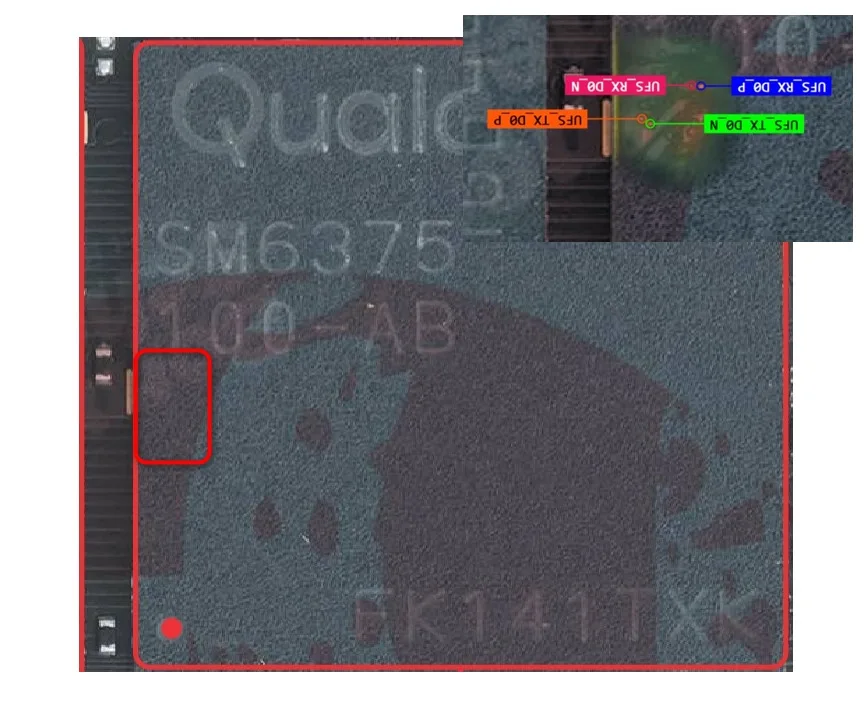
Download the ISP pinout diagram matching your storage type. The diagram marks CLK, CMD, DATA0, VCC (3.3V max), VCCQ (1.8V max), and GND. For UFS boards, additional or different pad labels may apply. Always check the flash chip markings under magnification to confirm storage type.
How To Reset And Flash With ISP Pinout
Connect ISP wires, power through programmer, and select the Snapdragon 695 profile matching your storage type. Erase FRP partition for lock removal, or write full firmware for dead boot. If chip detection fails, switch between eMMC and UFS profiles. For UFS boards, confirm your programmer license covers UFS ISP access.
How To Find ISP Pinout Realme 9 Pro
Full disassembly and motherboard removal required. Flip the board, locate the flash chip, and trace the ISP pads under magnification using the diagram. For UFS variants, the pad arrangement may differ from standard eMMC expectations. Confirm every pad with a multimeter.
Final Words
The Realme 9 Pro's dual storage configuration requires storage type verification before ISP work. Once confirmed, the process is standard. Use the correct diagram, respect voltage limits, and maintain ESD protection. Inform the customer about data loss.

Comments (0)
Be the first to comment.