Description
The Qualcomm SM6225 — the Snapdragon 680 — is a widely deployed mid-range 4G platform found in many recent budget and mid-tier smartphones. Devices on this chipset frequently need ISP repair for dead boot, bootloop, or FRP lock scenarios where software recovery is blocked. ISP pinout access connects a programmer directly to the flash storage through test pads, bypassing the locked boot process.

Qualcomm SM6225 ISP Pinout Review
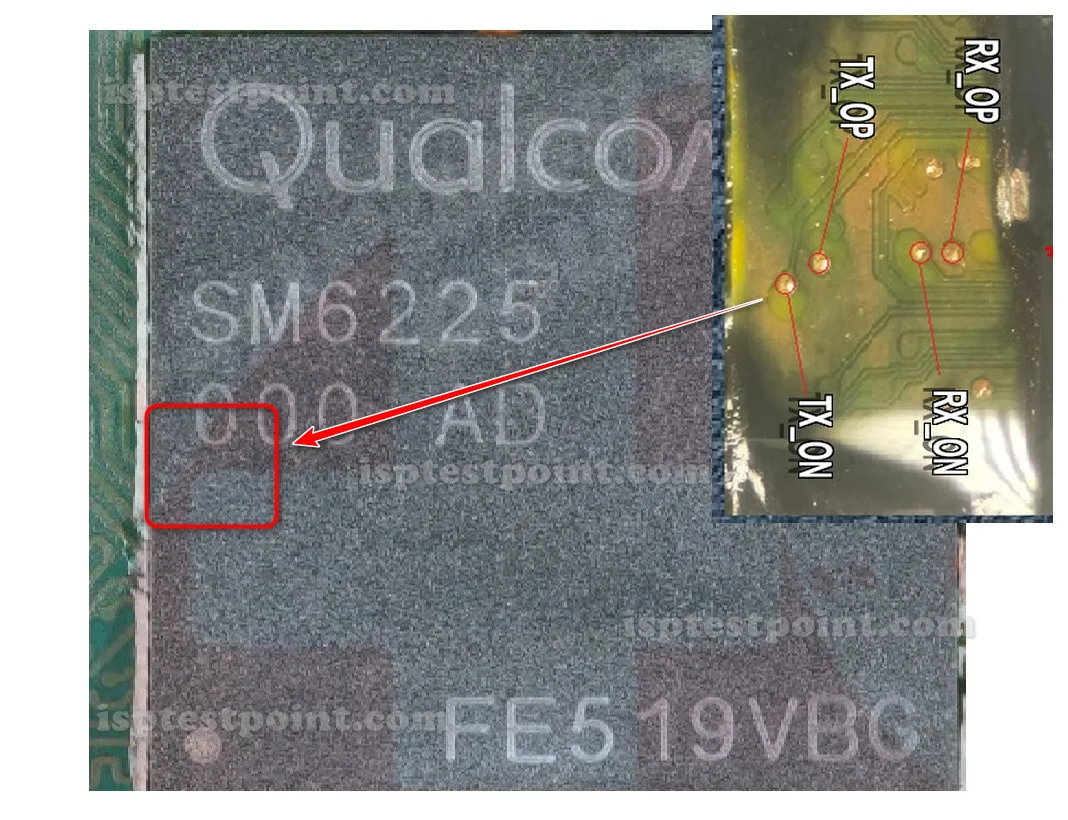
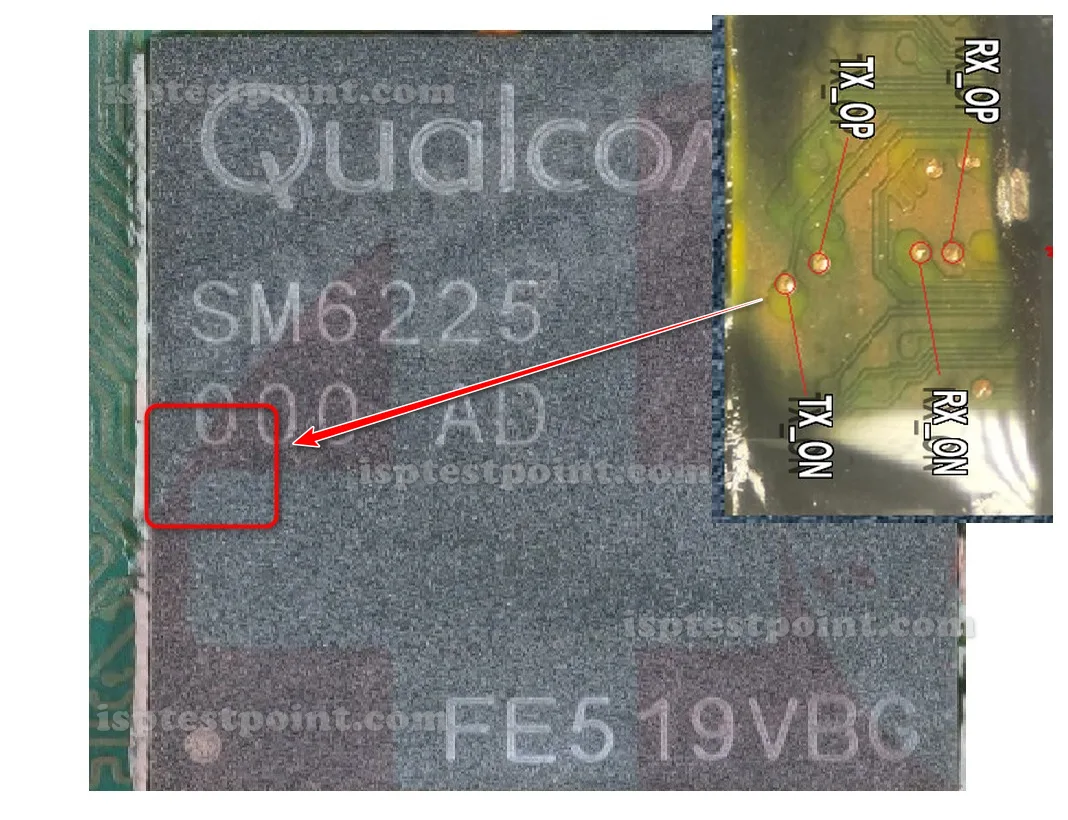
The four ISP points for the SM6225 are TX ON, TX OP, RX ON, RX OP. These serial transmit and receive lines connect your programmer to the storage controller. TX ON and TX OP handle transmit; RX ON and RX OP handle receive. On the SM6225 board, these pads are near the flash chip and unlabeled, so a verified diagram is essential. The SM6225 is a common platform across many Realme, OPPO, and Xiaomi devices, so pad spacing is often shared between models of the same generation. Verify all four points with a multimeter before connecting.
How To Find ISP Pinout SM6225
Disassemble the device, disconnect the battery, and remove the motherboard. Flip it to expose the flash storage chip near the center, often under a shield. Using magnification, locate the four pads for TX ON, TX OP, RX ON, and RX OP. Because many phones share the SM6225 platform, a pogo-pin jig built for one model may fit others in the family. Match the diagram to your specific device, confirm continuity on each pad, then attach fine wires or a jig.
How To Reset FRP Unlock With Dril CPU
Connect the four ISP points and power the board through the programmer only. Open your Dril CPU tool and select the Qualcomm SM6225 / Snapdragon 680 profile. After the storage controller is detected, navigate to the FRP erase section and delete the FRP partition to clear the Google lock. Confirm and run the operation, then disconnect the wires, reconnect the battery, and boot. The device should bypass the FRP screen. If detection fails, recheck for a swapped TX/RX pair.
Final Words
The Qualcomm SM6225 ISP pinout is a dependable FRP reset method for the common Snapdragon 680 platform. Accurate identification of TX ON, TX OP, RX ON, RX OP and a stable programmer connection are the keys. Use ESD protection, keep the battery disconnected, and verify each pad before powering on.

Comments (0)
Be the first to comment.