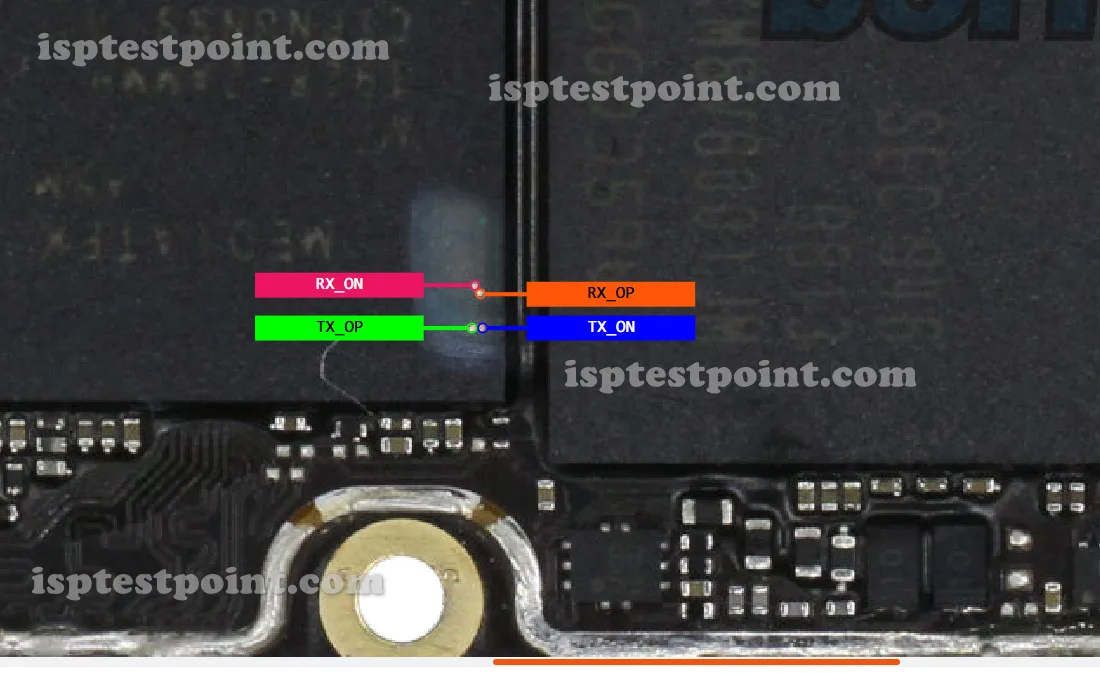
What Is ISP Pinout
ISP (In-System Programming) is a direct hardware access method that allows technicians to communicate with the eMMC storage chip on a device's PCB without removing the chip. Instead of desoldering, specific test pads on the motherboard — corresponding to the eMMC's CLK, CMD, DAT0, VCC, VCCQ, and GND lines — are probed directly. A compatible tool reads or writes raw data at the memory level, bypassing the device's software stack entirely. This makes ISP indispensable for repairs that cannot be resolved through standard software methods, such as hard-bricked devices, corrupted bootloaders, or locked firmware states. For the OPPO F15 CPH2001, ISP access targets the onboard eMMC 5.1 module via exposed testpoints on the main PCB.

OPPO F15 CPH2001 ISP Points
The OPPO F15 CPH2001 uses a MediaTek Helio P70 (MT6771V) chipset with an eMMC 5.1 storage IC. The ISP testpoints are located on the back side of the main PCB, typically near the eMMC chip package. The standard eMMC ISP pads for this device are mapped as follows:
- CLK — Clock signal pad, drives synchronization between host and eMMC
- CMD — Command line pad, sends read/write instructions DAT0 — Primary data line pad, carries firmware data
- VCC — Main power supply to the eMMC (typically 3.3 V)
- VCCQ — I/O voltage supply (typically 1.8 V)
- GND — Common ground reference pad
Note: Exact pad coordinates on the PCB silk layer have not been independently verified for this model. Refer to a confirmed board-level schematic or a trusted ISP pad diagram before probing.
When Technicians Use ISP
ISP access on the OPPO F15 CPH2001 is typically required in the following scenarios:
- Device stuck in a permanent bootloop after a failed OTA or manual flash
- Hard brick — phone is completely dead and unrecognized by any PC tool or download mode
- FRP (Factory Reset Protection) lock that cannot be bypassed via ADB or fastboot
- Pattern lock, PIN lock, or screen lock removal when EDL/ADB access is unavailable
- Corrupted partition table or damaged bootloader requiring full eMMC rewrite
- IMEI repair or NVRAM restoration after a botched flash
How to Access ISP Pinout
Follow these steps to connect to the OPPO F15 CPH2001 via ISP:
- Fully disassemble the device and remove the main PCB safely
- Clean the PCB surface around the eMMC area using IPA and a soft brush
- Identify the CLK, CMD, DAT0, VCC, VCCQ, and GND testpoints using a verified pad diagram
- Connect ISP wires or a dedicated ISP probe clip from your tool to each pad — use fine-tip probes or solder thin wires carefully
- Launch your ISP tool software, select the MT6771 or eMMC 5.1 profile, and initiate connection
- Once the eMMC is detected, proceed with your required operation (read, write, erase)
Safety Tips Before You Start
Working at the ISP level carries significant risk. Observe the following precautions:
- Always use an ESD wrist strap and anti-static mat to prevent electrostatic discharge damage to the PCB
- Verify VCC and VCCQ voltage output from your tool before connecting — incorrect voltage will permanently destroy the eMMC
- Create a full eMMC backup (read operation) before performing any write or erase task
- Never apply heat to ISP pads — use low-temperature solder wire only if soldering wires directly
- Double-check all wire connections before powering on to avoid short circuits
- Disconnect the battery connector before probing to prevent uncontrolled power surges
Pin / Test Point Reference
| Pin | Description |
|---|---|
| CLK | eMMC clock signal testpad — Exact PCB coordinates unverified — use a board schematic |
| CMD | eMMC command line testpad — Exact PCB coordinates unverified |
| DAT0 | Primary eMMC data line testpad — Exact PCB coordinates unverified |
| VCC | eMMC main power supply pad — typically 3.3 V — Confirm voltage with multimeter before connecting |
| VCCQ | eMMC I/O voltage supply pad — typically 1.8 V — Confirm voltage with multimeter before connecting |
| GND | Ground reference pad — Multiple GND points available on PCB |
Tools required: EasyJTAG Plus, UMT (Ultimate Multi Tool), Medusa Pro II, RIFF Box 2, UFI Box, ATF Box
Supported operations: Read Firmware, Write Firmware, FRP Erase, Dead Boot Repair, Pattern/PIN Lock Remove, IMEI Repair, NVRAM Restore, Full eMMC Backup
⚠ Safety note: Incorrect VCC/VCCQ voltage will permanently destroy the eMMC. Always back up before writing. Use ESD protection at all times. Verify pad locations against a confirmed schematic before probing.

Comments (0)
Be the first to comment.